

Official websites use .gov
A .gov website belongs to an official government organization in the United States.

Secure .gov websites use HTTPS
A lock (
) or https:// means you’ve safely connected to the .gov website. Share sensitive information only on official, secure websites.


b. File Prefix
The Properties block has variables that cannot be changed once the scan begins. These variables define the file writing/naming (see File Rule) and data-of-interest conventions (see Data-of-Interest) for a trajectory.
The easiest way to specify the name of your output data file is to set the filePrefix expression.
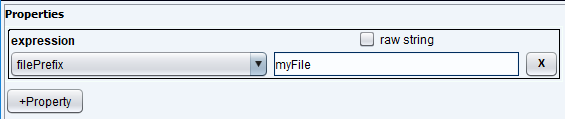
If we set it to myFile, then the output filenames will be use this prefix. For example, if NEXUS file writing is turned on, then you would get the following file: myFile.nxs.phd
Writers determine the types of files that are written. You can have multiple writers turned on (ICP, TEXT-COLUMN, NEXUS, etc.) simultaneously. Each writer follows its own file-naming conventions – more on that later.
If you run the same trajectory again, NICE will increment the index at the end.